 Wordmemo Translate
Wordmemo Translate — translate and learn words while you browse
Translate selected text on any webpage. Save words to Wordmemo and learn them with spaced repetition.
A browser extension (Safari, Chrome, Firefox, Edge) that lets you translate selected text using Google or Bing — no API keys required. Double-click or select text to translate instantly; click the star to save words to Wordmemo and build your vocabulary with spaced repetition on Wordmemo.net.
Not only translate — save words and learn them as flashcards on Wordmemo.net.
See It In Action
Experience seamless translation and word saving in both light and dark modes
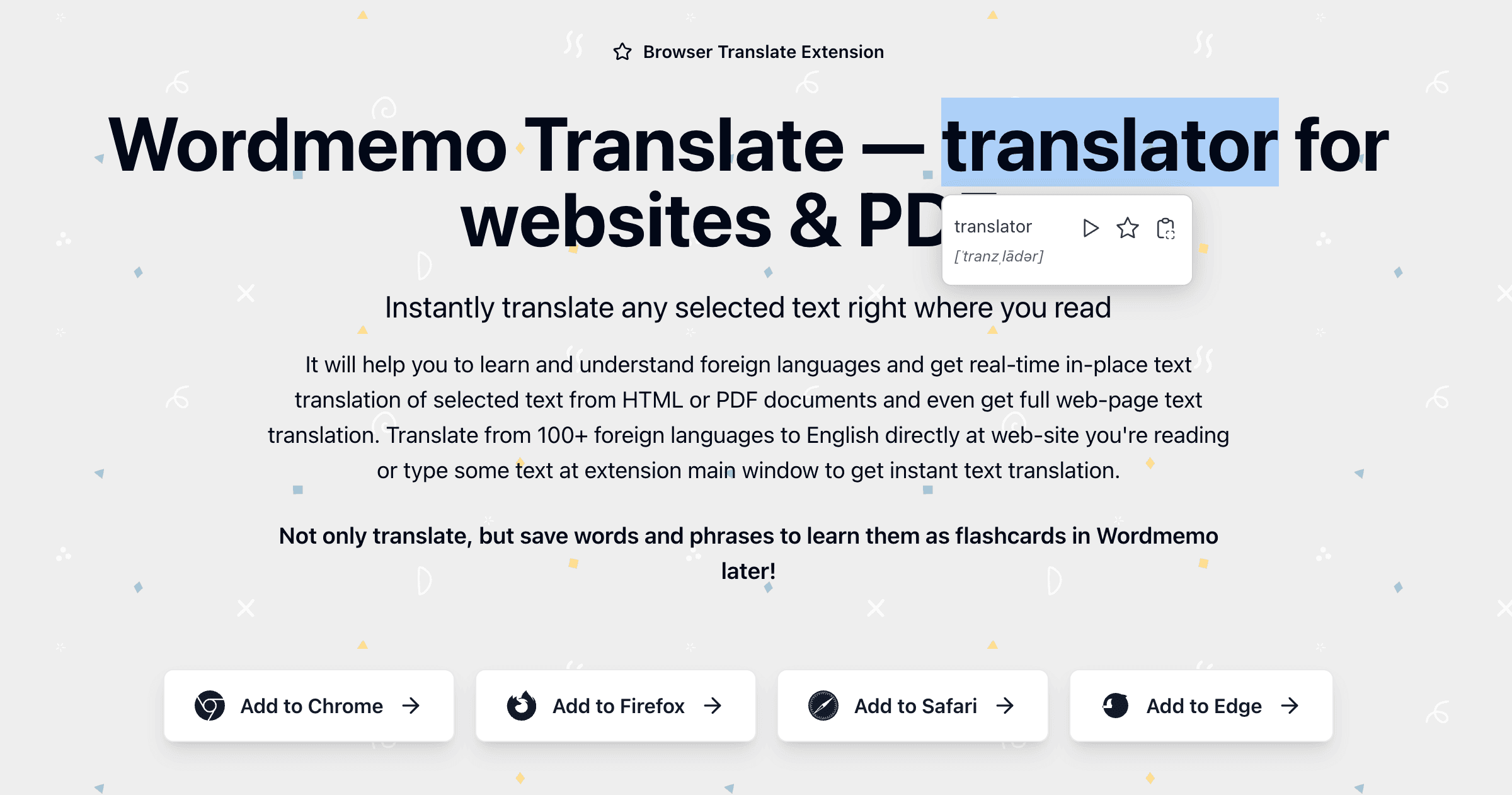
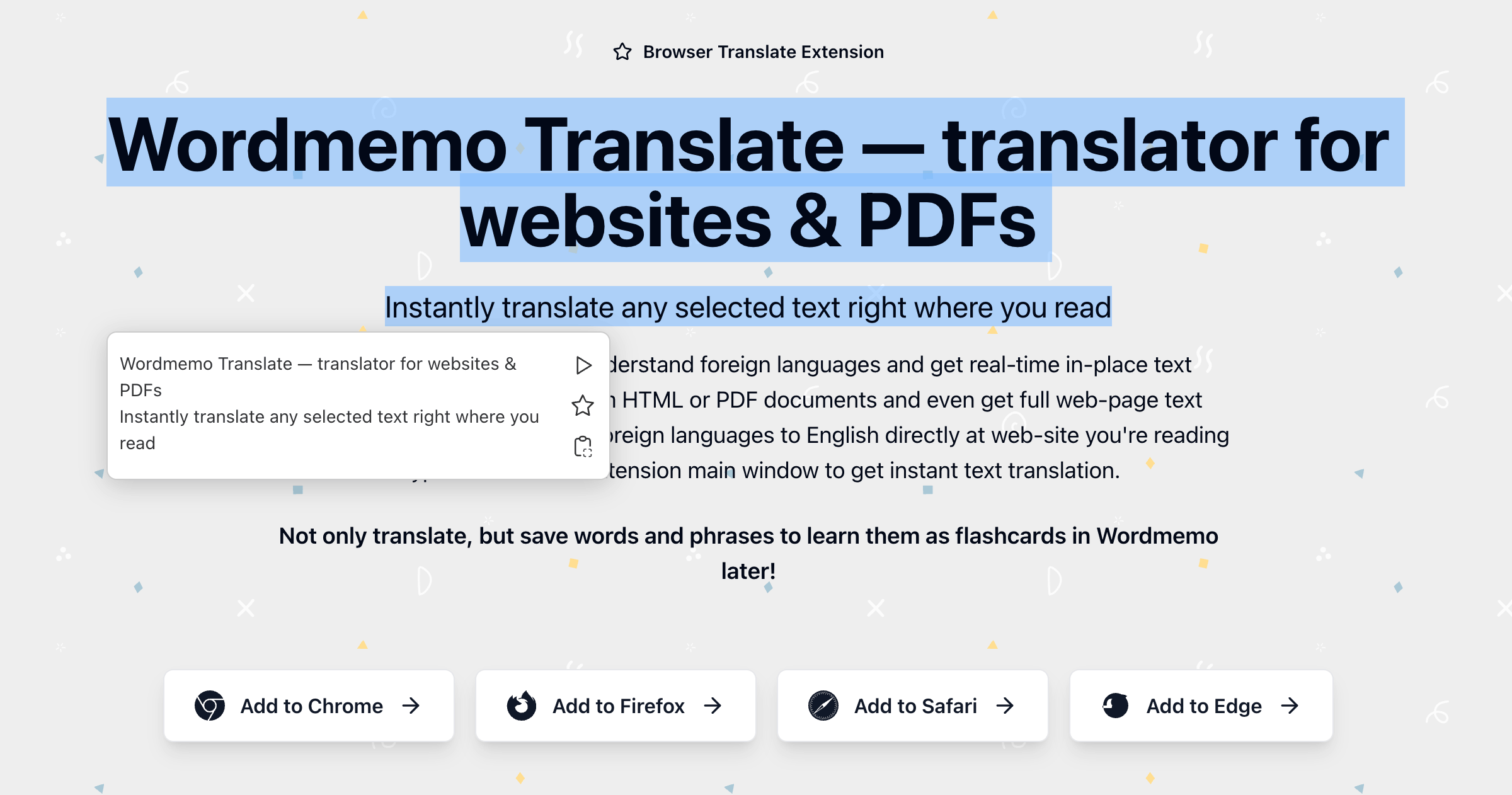
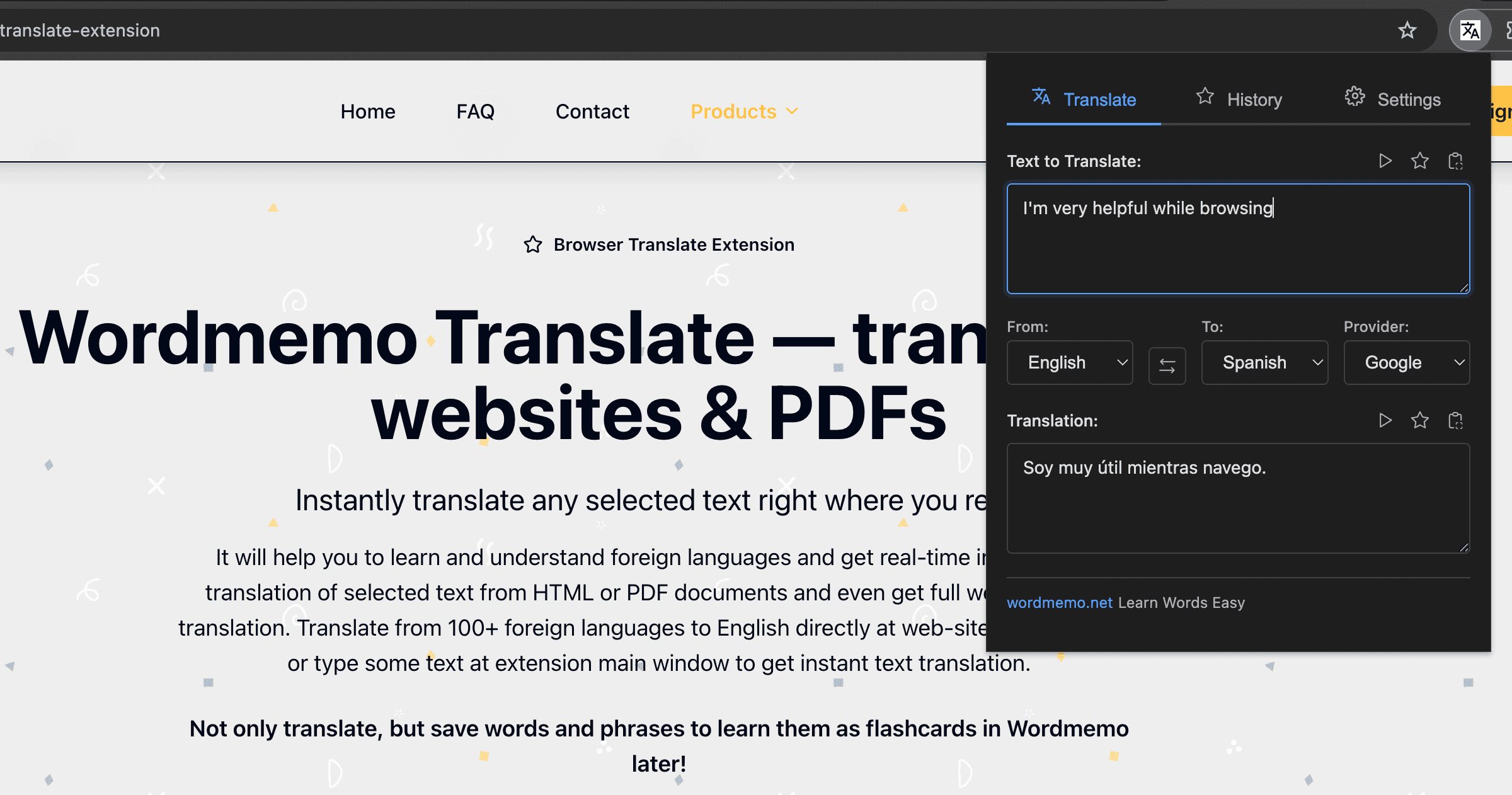
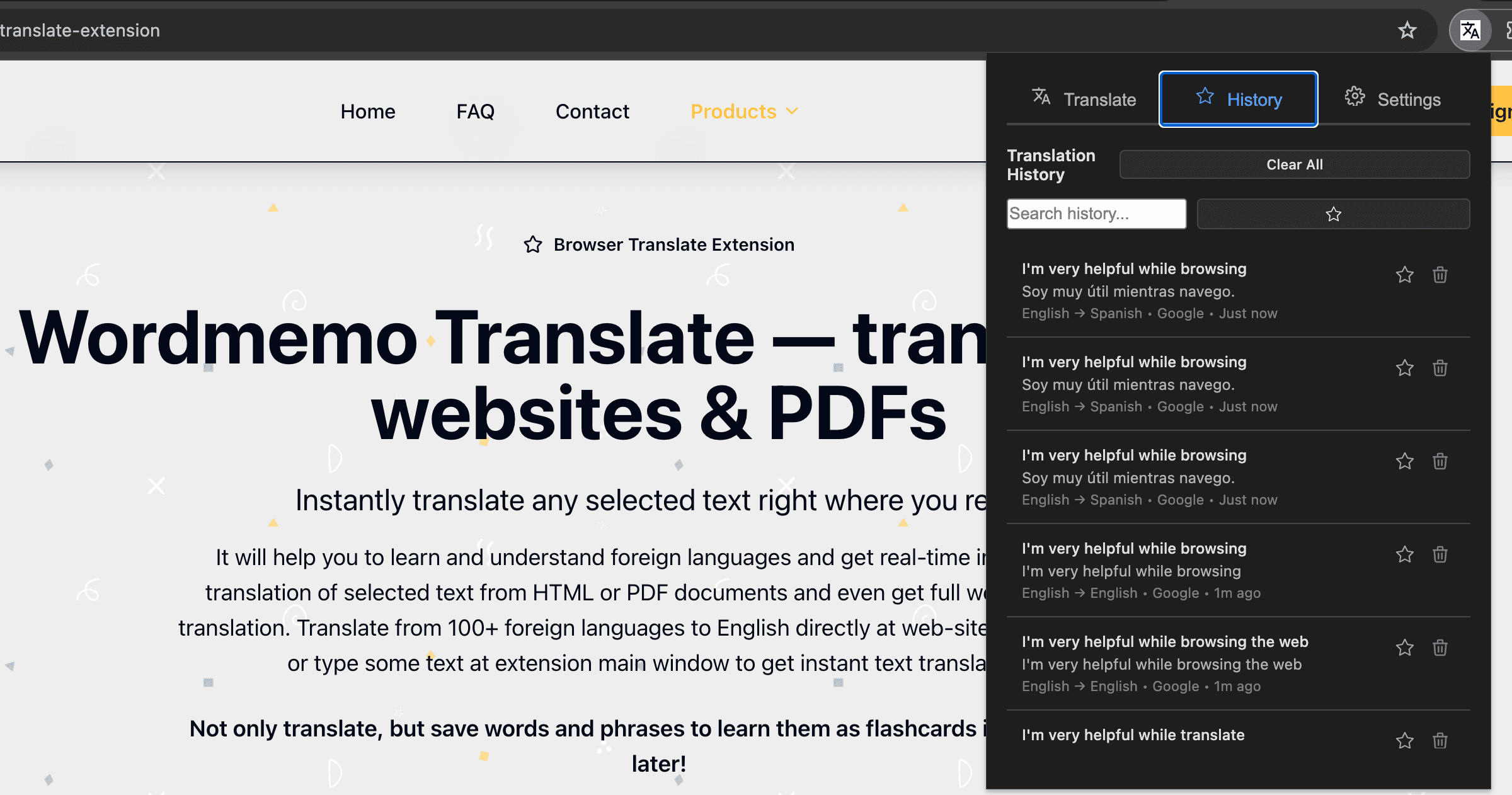
← Scroll to see more screenshots →
Translation providers
Direct integration, no API key required
Bing
Direct integration, no API key required
Direct integration with Google and Bing. No API keys required.
Features
Instant translation
Double-click or select text on any webpage to translate instantly. Single-click selection shows a translation icon — click it to translate.
Save words to Wordmemo
Click the star icon to save translated words. Build your vocabulary and learn them with spaced repetition on Wordmemo.net.
Google & Bing
Multiple translation providers with direct integration. No API keys required.
Context menu
Right-click selected text and choose to translate from the context menu.
Customizable popup
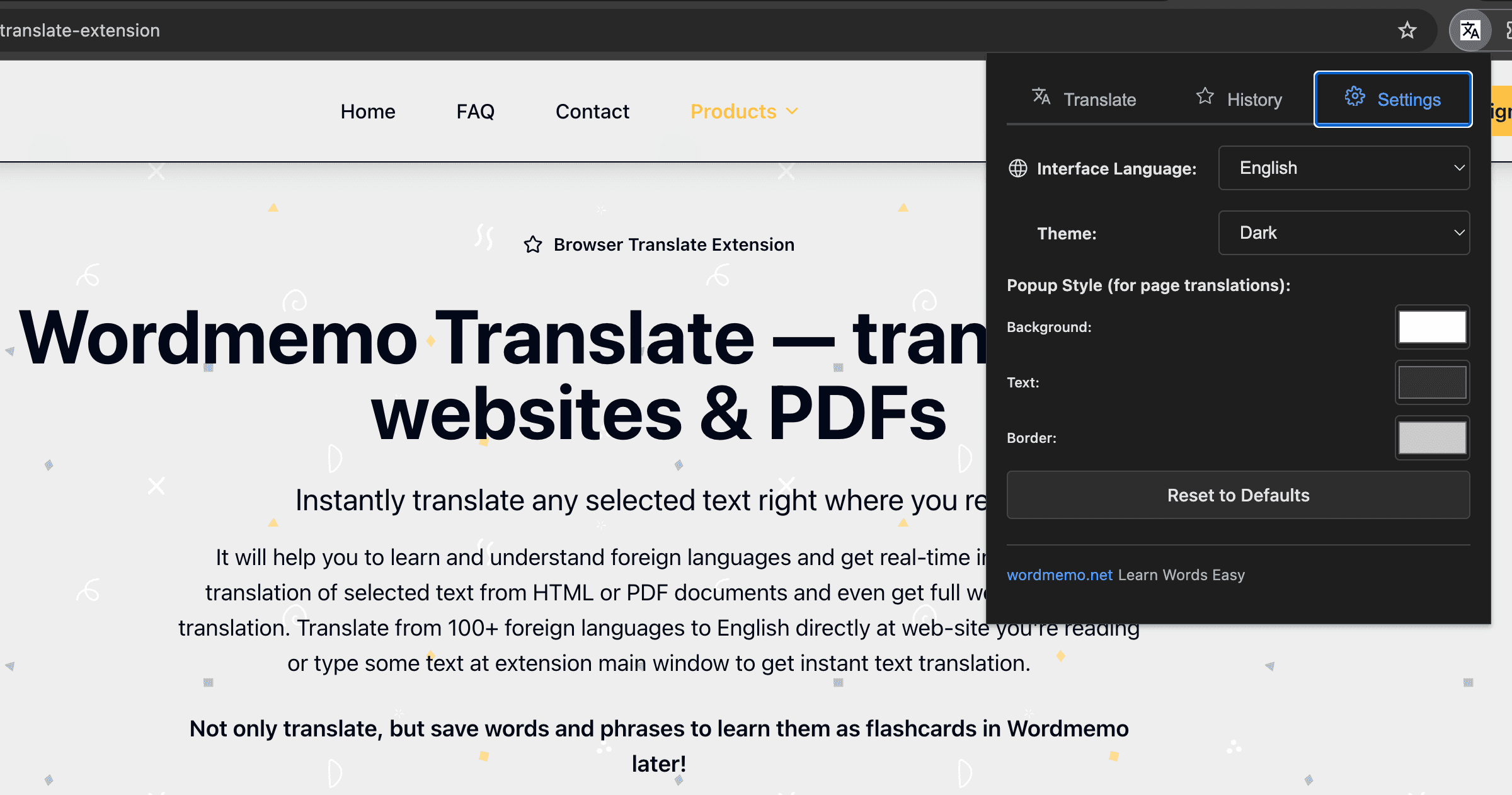
Customize popup colors: background, text, border, header, and buttons to match your style.
Full-page translation
Get full-page text translation via the browser context menu, toolbar icon, or extension window.
Context preserved
Save the sentence context where you found the word for better learning.
PDF translation
Translate text in PDF files with in-place translations (enable the custom PDF.js viewer in settings).
Text-to-speech
Listen to translations with text-to-speech from supported providers or the browser's speech engine.
Translation history
View and edit translation history; save favourite translations as quick bookmarks.
Ways to translate on web pages
Double-click a word to translate it in place
Select text and click the translation icon that appears nearby
Double-click the word to translate
Listen with text-to-speech from Google, Bing, or the browser
Save favourite translations as bookmarks in history and use them to create flashcards
Customize the translation popup — font size, colors (background, text, border, header, buttons)
How it works
Install
Add the extension from Chrome Web Store, Firefox Add-ons, Edge Add-ons, or Mac App Store (Safari)
Select & translate
Select or double-click text on any webpage; click the translation icon to see the translation. Click the extension icon to open the translation popup.
Save
Click the star icon to save words to Wordmemo Flashcards later
Learn
Click Create Flashcards button to learn your saved words with flashcards app and build your vocabulary
Contact Us
Have questions or feedback? We'd love to hear from you!
Support the Project
If you find Wordmemo Translate helpful, consider supporting the project. Your support helps us continue improving and adding new features.
Buy Me a Coffee